Gradient Atlas Maker
A downloadable tool for Windows, macOS, Linux, and Android
Gradient Atlas Maker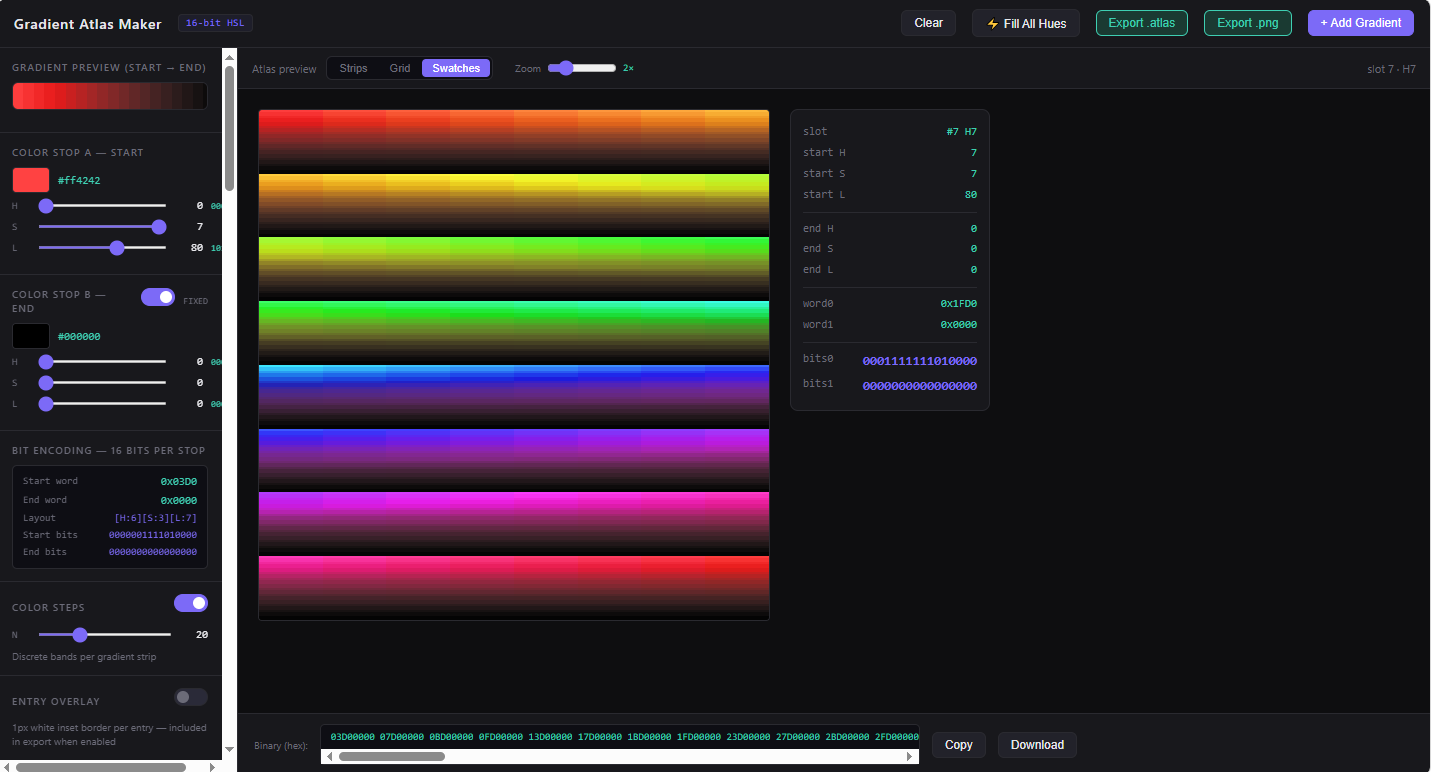
A compact, offline-ready authoring tool for creating 16-bit HSL gradient atlases — purpose-built for game artists and shader developers.
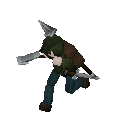
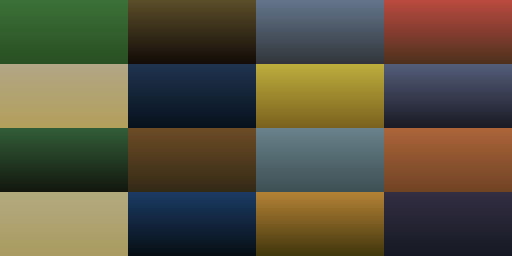
I honestly got tired of hand cobbling together gradient atlas maps in gimp and wanted a simpler way to automate my workflow. One benefit of this approach is you can easily swap out the palette map and as long as the uv coordinates are the same the model will render with the new palette. However I use this for my isometric engine project, it is still very viable for runtime. I kept the output dimensions to fully respect modern GPU texture image constraints. It's a simple tool and will radically simplify the initial stages of establishing a palette for your project. I kept the initial color range constraints to more readily provide a built-in stylized constraint. I will happily apply more themed constraints per user requests. I am deeply thankful for any support or purchases. I hope this will save you as much time for you as it has for me. My dream is to make simulations and interesting projects for people to explore and tools along the way. I have been doing software development for close to 10 years now.
What is it?
Gradient Atlas Maker lets you design, preview, and export packed gradient palettes in a custom 16-bit HSL format. Each color stop is encoded as a single 16-bit word — 6 bits for hue, 3 bits for saturation, 7 bits for lightness — giving you 64 hue steps, 8 saturation levels, and 128 lightness levels in just 2 bytes per stop, 4 bytes per gradient entry.
The exported atlas is a canonical 256 × 8192px PNG (or raw .atlas binary), ready to drop directly into your shader pipeline, palette sampler, or lookup table.
Features
16-bit HSL encoding Every gradient entry is two packed 16-bit words in [H:6][S:3][L:7] layout. The bit breakdown is displayed live as you author, so you always know exactly what's hitting your GPU.
Three atlas preview modes Switch between Strips, Grid, and Swatches views while authoring. All three modes use the same canonical 32 × 128px cell geometry — what you see is exactly what exports.
Fill All Hues Generate all 64 hue steps in one click. Stop B can be Linked (tracks the same hue as Stop A per entry, for tonal lightness ramps) or Fixed (locks Stop B to a single target color, so every hue converges to the same endpoint — great for shadow or highlight unification).
Color Steps Toggle discrete banding per gradient strip. Set any number of steps from 2 to 64 for posterized, cel-shaded, or retro-banded palettes. Steps are applied in perceptual HSL space — not RGB — so color transitions stay true across the full hue range.
Shortest-path hue interpolation Hue is circular. The tool always takes the shortest path around the 360° wheel, so purple-to-red goes through magenta — not backward through the entire spectrum. Applies to both smooth and stepped modes.
Entry Overlay Optional 1px white inset border on every gradient cell, for pixel-accurate coordinate verification. Included in the export when enabled — useful for artists who need to validate atlas sampling coordinates.
Zoom preview Scale the atlas preview from 1× to 6× without affecting export pixel dimensions. Makes per-entry hue differences visible even on high-DPI displays.
Dual export Export your atlas as a raw .atlas binary (packed uint16 pairs, big-endian) or a standard .png image — always at the canonical dimensions regardless of which preview view or zoom level is active.
Fully offline, single file Zero dependencies, zero installs, zero tracking. One .html file that runs entirely in your browser. Works on any OS.
Who is it for?
- Game developers using palette-based or indexed-color rendering
- Shader authors building gradient LUT samplers
- Artists working with retro or limited-color aesthetics
- Anyone who needs a fast, repeatable way to author and export structured color data
| Bits | Steps | |
|---|---|---|
| Total | 16 | 65,536 unique colors |
Each gradient entry = 2 × uint16 = 4 bytes Full 64-entry atlas = 256 bytes binary / 256 × 8192px PNG
This was a labor of love after years of experimenting with different art pipelines. Enjoy! Feel free to shoot me an email!
Single file. No server. No account. Just open and author.
Purchase
In order to download this tool you must purchase it at or above the minimum price of $4.99 USD. You will get access to the following files:
Leave a comment
Log in with itch.io to leave a comment.